
File input element
Allows user to upload files.
| Type | file_input |
| Available in | Modals, Home tab |
| Works in blocks | Input block |
Use the file input inside an input block. Each file is uploaded to Repzo storage as soon as it’s picked; when the person submits the modal, your app receives the files in view.state.values[block_id][action_id]:
{ "type": "file_input", "files": [ { "id": "<media id>", "name": "northwind-contract-signed.pdf", "mimetype": "application/pdf", "size": 284113, "url_private": "https://<your workspace host>/api/bot/files/<media id>?exp=…&sig=…" } ]}To download a file, GET its url_private with your app’s token (Authorization: Bearer foxa-…, an app of the same workspace) and follow redirects — the response may redirect to a short-lived storage link. Each url_private works for 7 days; copy the file if you need it longer.
Before calling your app, Repzo checks that a required input has at least one file and that there are no more than max_files (“Attach at most 3 files.”). Every file id is checked on the server too: it must be a file that reader uploaded in this workspace.
Fields
Section titled “Fields”| Field | Type | Description | Required? |
|---|---|---|---|
type |
String | The type of element. In this case type is always file_input. |
Required |
action_id |
String | An identifier for the input value when the parent view is submitted. You can use this when you receive a view_submission payload to identify the value of the input element (view.state.values[block_id][action_id]). Should be unique among all other action_ids in the containing block. Maximum length is 255 characters. If you leave it out, Repzo generates one. |
Optional |
filetypes |
String[] | An array of valid file extensions (for example pdf, png) that will be accepted for this element. All file extensions will be accepted if filetypes is not specified. This check is for convenience only — check the files you receive yourself. |
Optional |
max_files |
Integer | Maximum number of files that can be uploaded for this file_input element. Minimum of 1, maximum of 10. Defaults to 10 if not specified. |
Optional |
Examples
Section titled “Examples”A file input in a form
Section titled “A file input in a form”This example belongs in a modal view — the screenshot shows it in a modal.
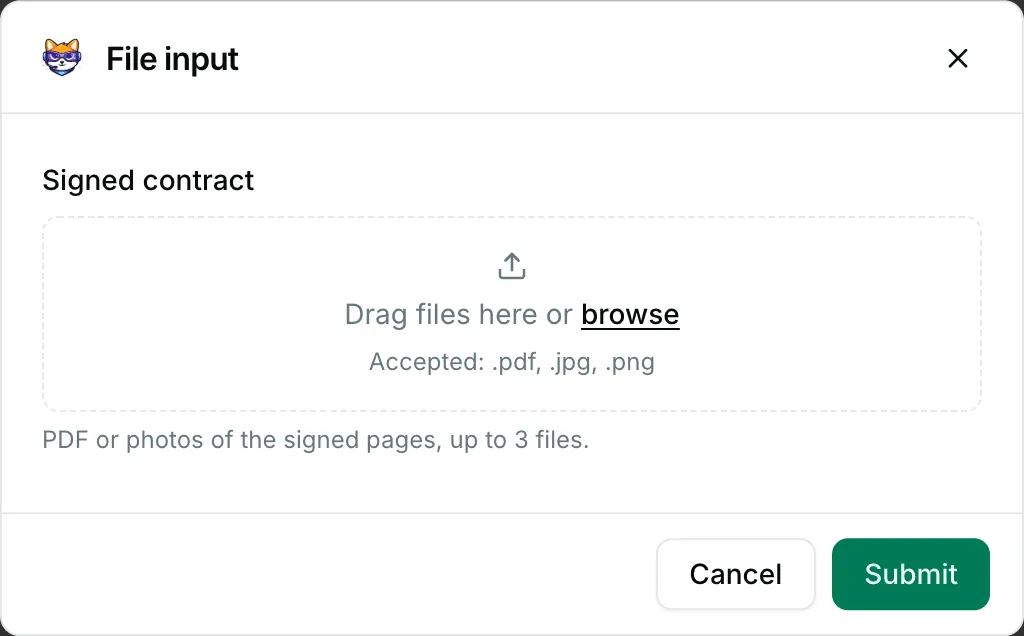
{ "blocks": [ { "type": "input", "block_id": "signed_contract", "label": { "type": "plain_text", "text": "Signed contract" }, "element": { "type": "file_input", "action_id": "contract_files", "filetypes": [ "pdf", "jpg", "png" ], "max_files": 3 }, "hint": { "type": "plain_text", "text": "PDF or photos of the signed pages, up to 3 files." } } ]}