
Data visualization block
Displays data as a pie, bar, area or line chart.
| Type | data_visualization |
| Available in | Messages, Modals, Home tab |
chart is one of:
- Pie —
{ "type": "pie", "segments": [{ "label", "value" }] }. 1 to 12 segments;labelup to 20 characters,valuegreater than 0. - Bar, area, line —
{ "type": "bar" | "area" | "line", "series": [{ "name", "data": [{ "label", "value" }] }], "axis_config": { "categories", "x_label", "y_label" } }. 1 to 12 series with uniquenames (up to 20 characters) and 1 to 20 points each.axis_config.categories(required) sets the x-axis labels and their order; every point’slabelmust be one of them.x_labelandy_labelare optional axis titles, up to 50 characters. Values may be negative.
Fields
Section titled “Fields”| Field | Type | Description | Required? |
|---|---|---|---|
type |
String | The type of block. For a data visualization block, type is always data_visualization. |
Required |
title |
String | A short label shown above the chart. Maximum 50 characters. | Required |
chart |
Object | The chart: pie, bar, area or line. See the shapes above. |
Required |
block_id |
String | A unique identifier for the block. Maximum length is 255 characters. It must be unique within the message or view — a duplicate is replaced and reported as a warning. | Optional |
Examples
Section titled “Examples”A bar chart with two series
Section titled “A bar chart with two series”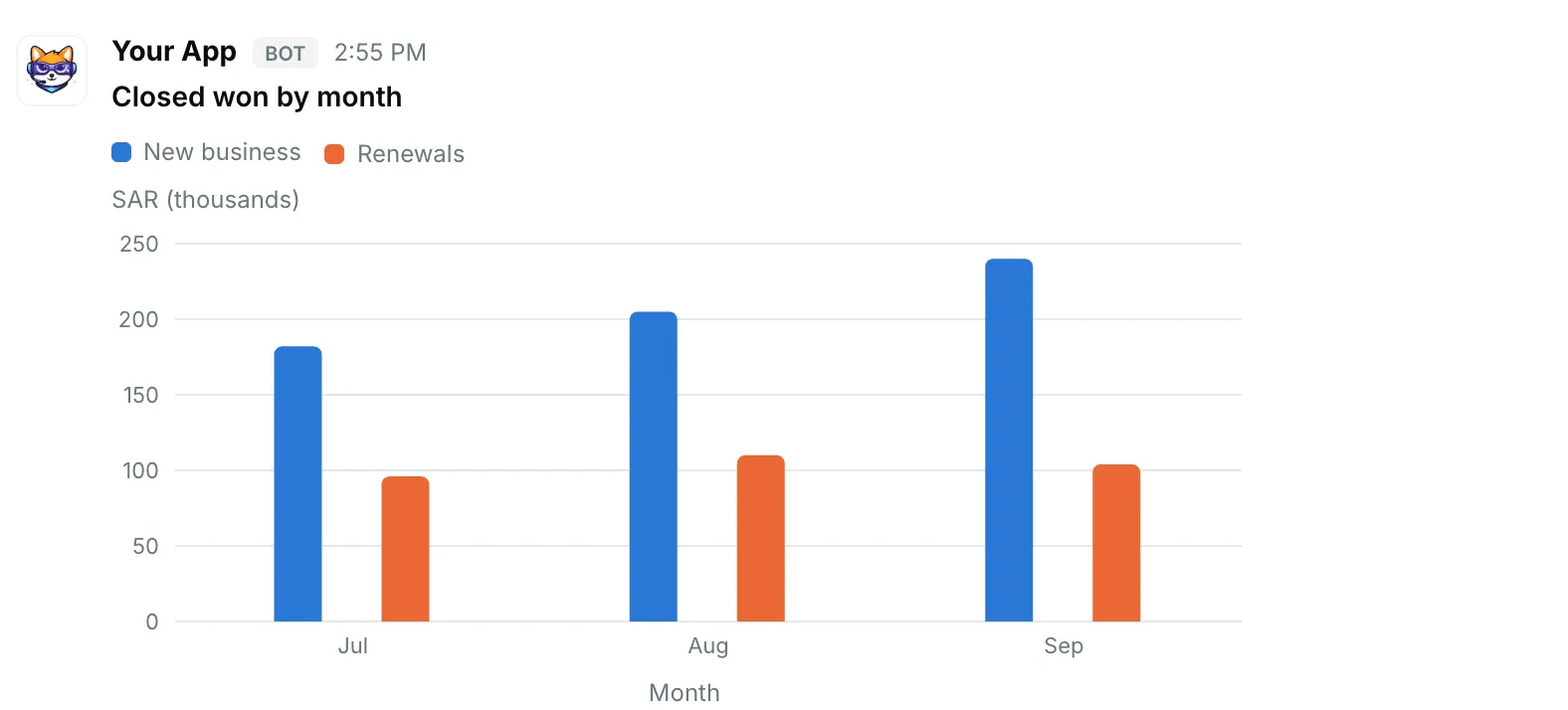
{ "blocks": [ { "type": "data_visualization", "title": "Closed won by month", "chart": { "type": "bar", "series": [ { "name": "New business", "data": [ { "label": "Jul", "value": 182 }, { "label": "Aug", "value": 205 }, { "label": "Sep", "value": 240 } ] }, { "name": "Renewals", "data": [ { "label": "Jul", "value": 96 }, { "label": "Aug", "value": 110 }, { "label": "Sep", "value": 104 } ] } ], "axis_config": { "categories": [ "Jul", "Aug", "Sep" ], "x_label": "Month", "y_label": "SAR (thousands)" } } } ]}A pie chart
Section titled “A pie chart”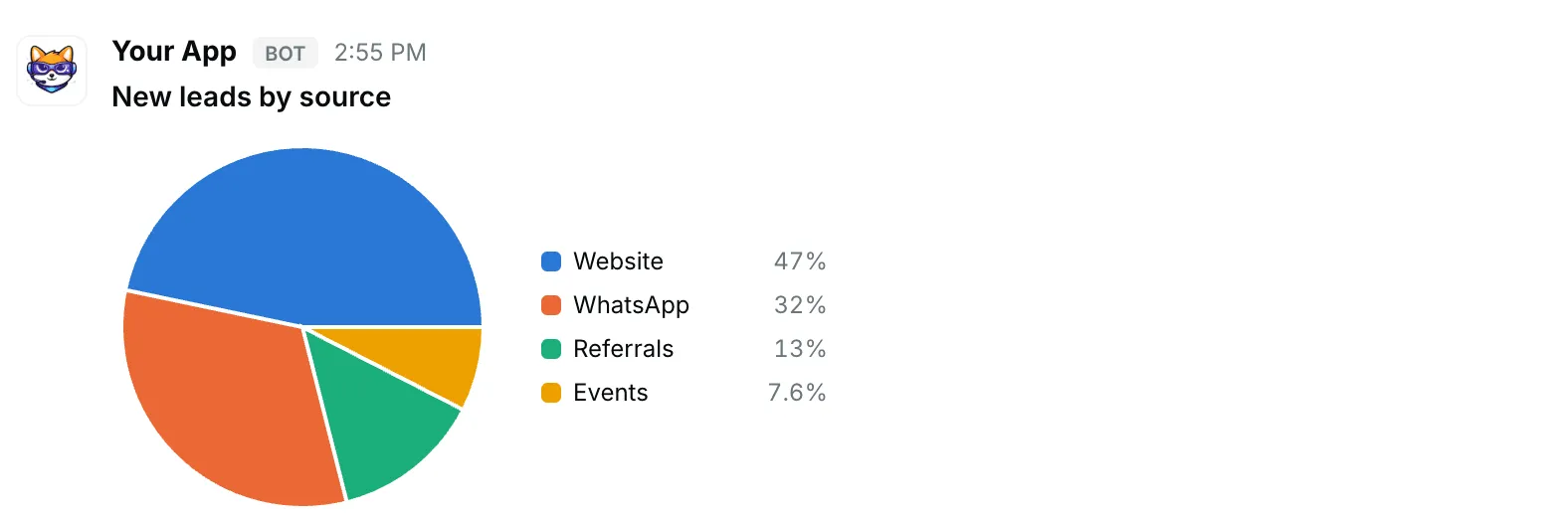
{ "blocks": [ { "type": "data_visualization", "title": "New leads by source", "chart": { "type": "pie", "segments": [ { "label": "Website", "value": 142 }, { "label": "WhatsApp", "value": 98 }, { "label": "Referrals", "value": 41 }, { "label": "Events", "value": 23 } ] } } ]}A line chart
Section titled “A line chart”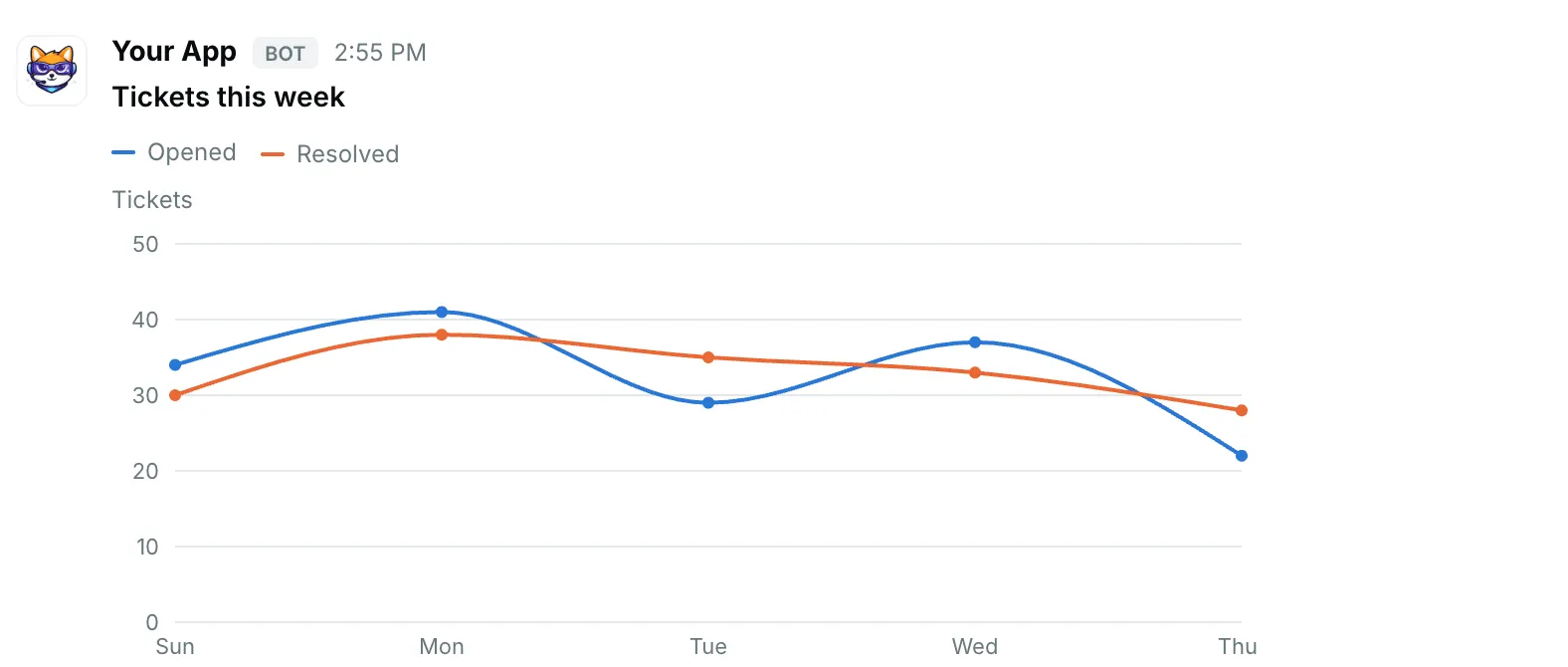
{ "blocks": [ { "type": "data_visualization", "title": "Tickets this week", "chart": { "type": "line", "series": [ { "name": "Opened", "data": [ { "label": "Sun", "value": 34 }, { "label": "Mon", "value": 41 }, { "label": "Tue", "value": 29 }, { "label": "Wed", "value": 37 }, { "label": "Thu", "value": 22 } ] }, { "name": "Resolved", "data": [ { "label": "Sun", "value": 30 }, { "label": "Mon", "value": 38 }, { "label": "Tue", "value": 35 }, { "label": "Wed", "value": 33 }, { "label": "Thu", "value": 28 } ] } ], "axis_config": { "categories": [ "Sun", "Mon", "Tue", "Wed", "Thu" ], "y_label": "Tickets" } } } ]}